
You can set up multiple users at different set frequencies to receive an email notification when a contract is about to expire.
-
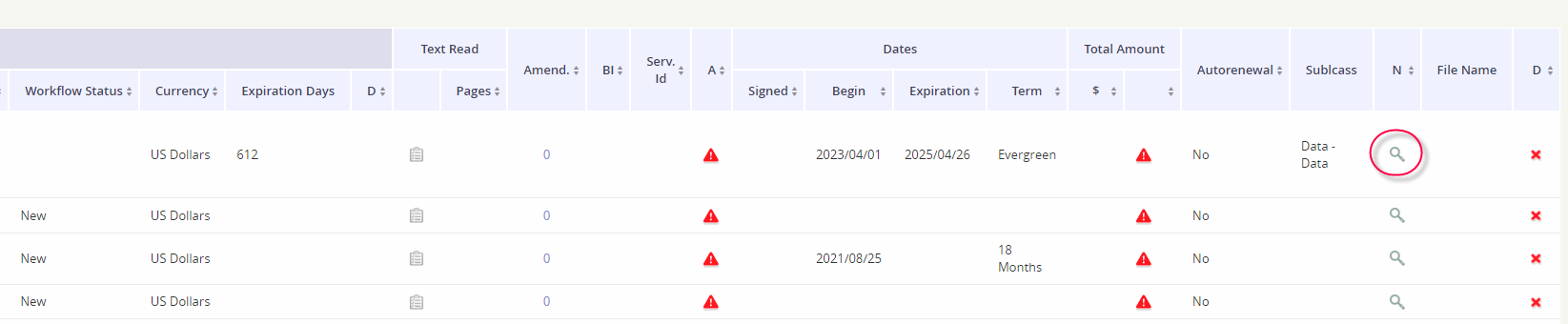
Locate the contract record.
-
Click the spyglass under the N column.
-
Click the New button.

-
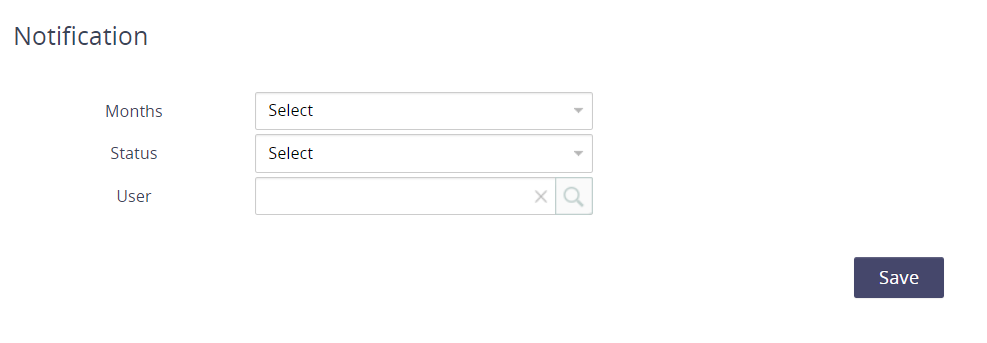
Define the notification form:
-
Select the number of months before the contract’s end date when you’d like to be notified.
-
Select the value Active for the Status
-
Select the user who should receive the email notification.
-
-
Click Save to apply your changes.
-
Repeat steps 3 through 5 to add multiple users to the notification.
How to remove a user from the notification schedule
-
Locate the contract record.
-
Click the spyglass under the N column.
-
Click the pencil icon under the Edit column for the user who no longer should receive the email notifications.
-
Update the Status to Inactive.
-
Click Save to apply changes.