
In order to assign GL Codes to the Main Account, you need to make sure the Cost Allocation Strategy for the account is set to Account.
-
Go Administration.
-
Select Accounts.
-
Click on the spyglass under the Edit column to view the account record details.
-
While in the Overview tab, find the Cost Allocation Strategy drop-down
-
Select Account.
-
Click Save.
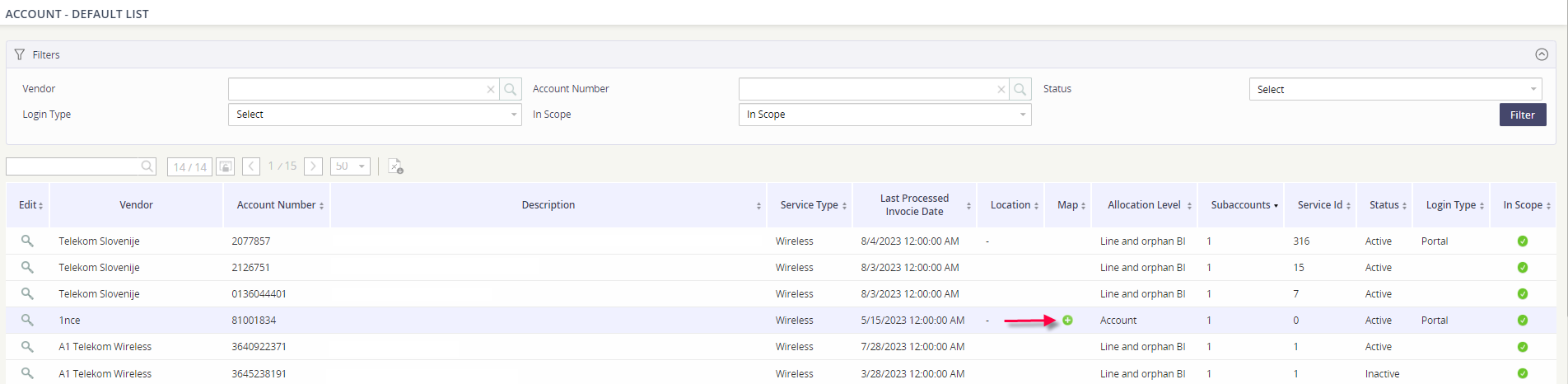
Now that the account is set to allocate accordingly, return back to the main Accounts view. You’ll see a green plus icon under the Map column for the account that you just updated.
-
Click on the green plus icon
-
Assign the GL codes and click Add.
-
Click Save.