
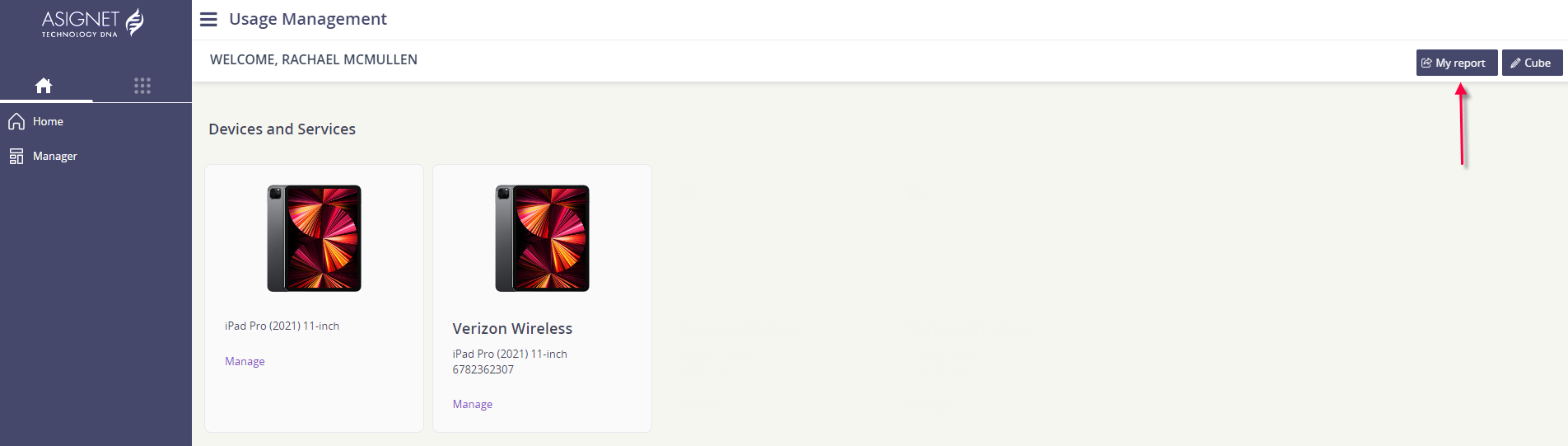
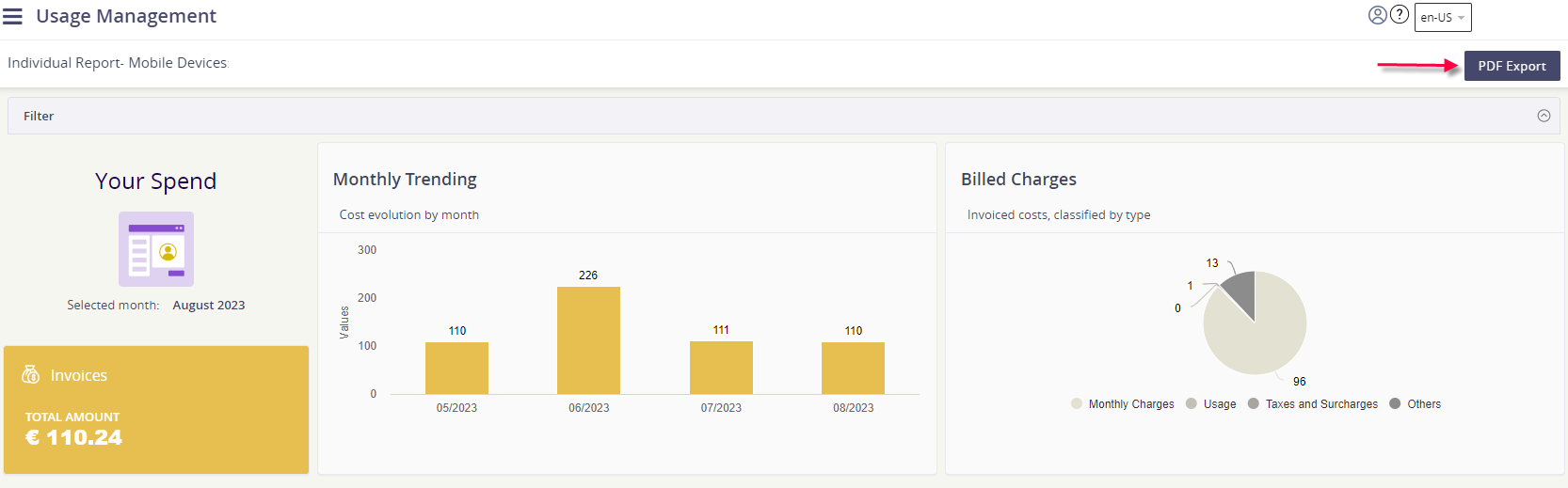
All users have access to review and export the My Report summary, available on the Home page of Usage Management.
-
Select My Report from the top right corner of the page.
-
Click PDF Export to save this summary report as a PDF file.
-
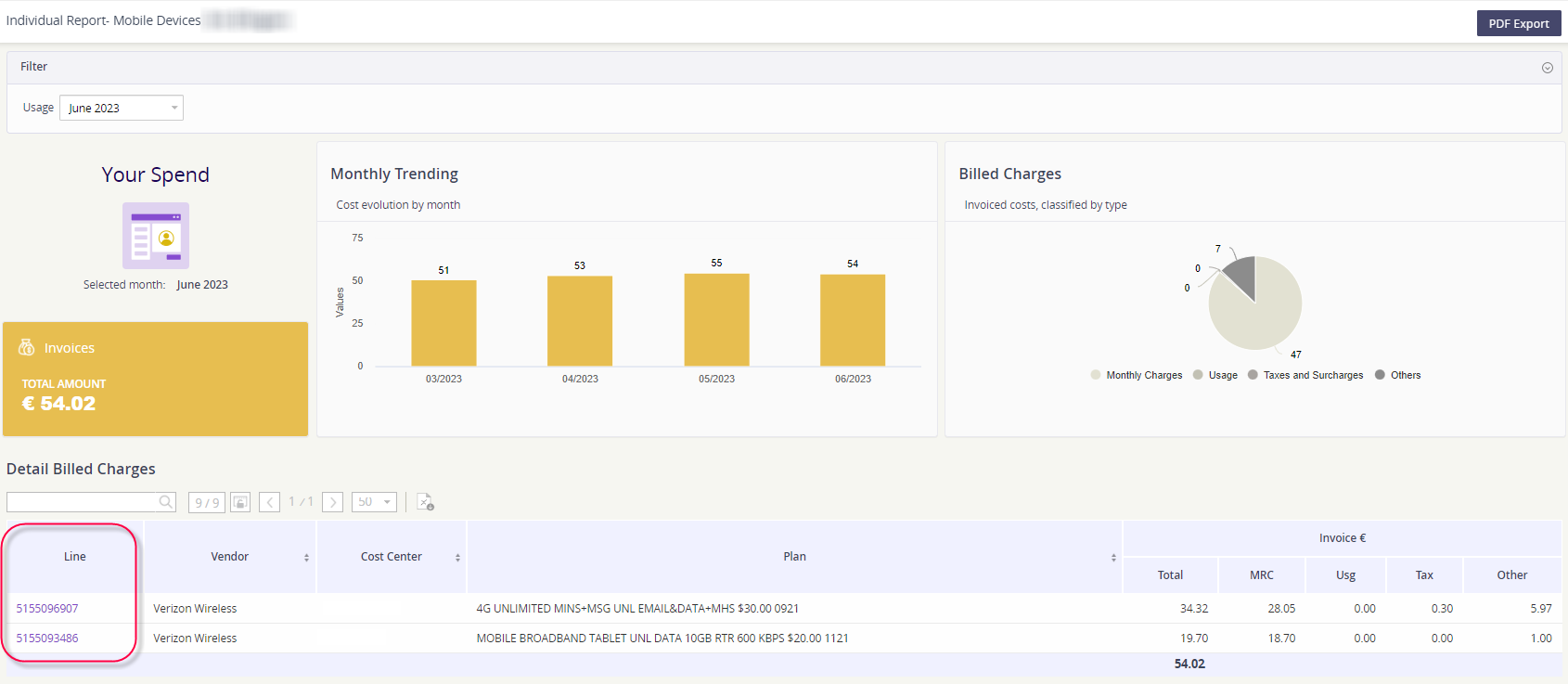
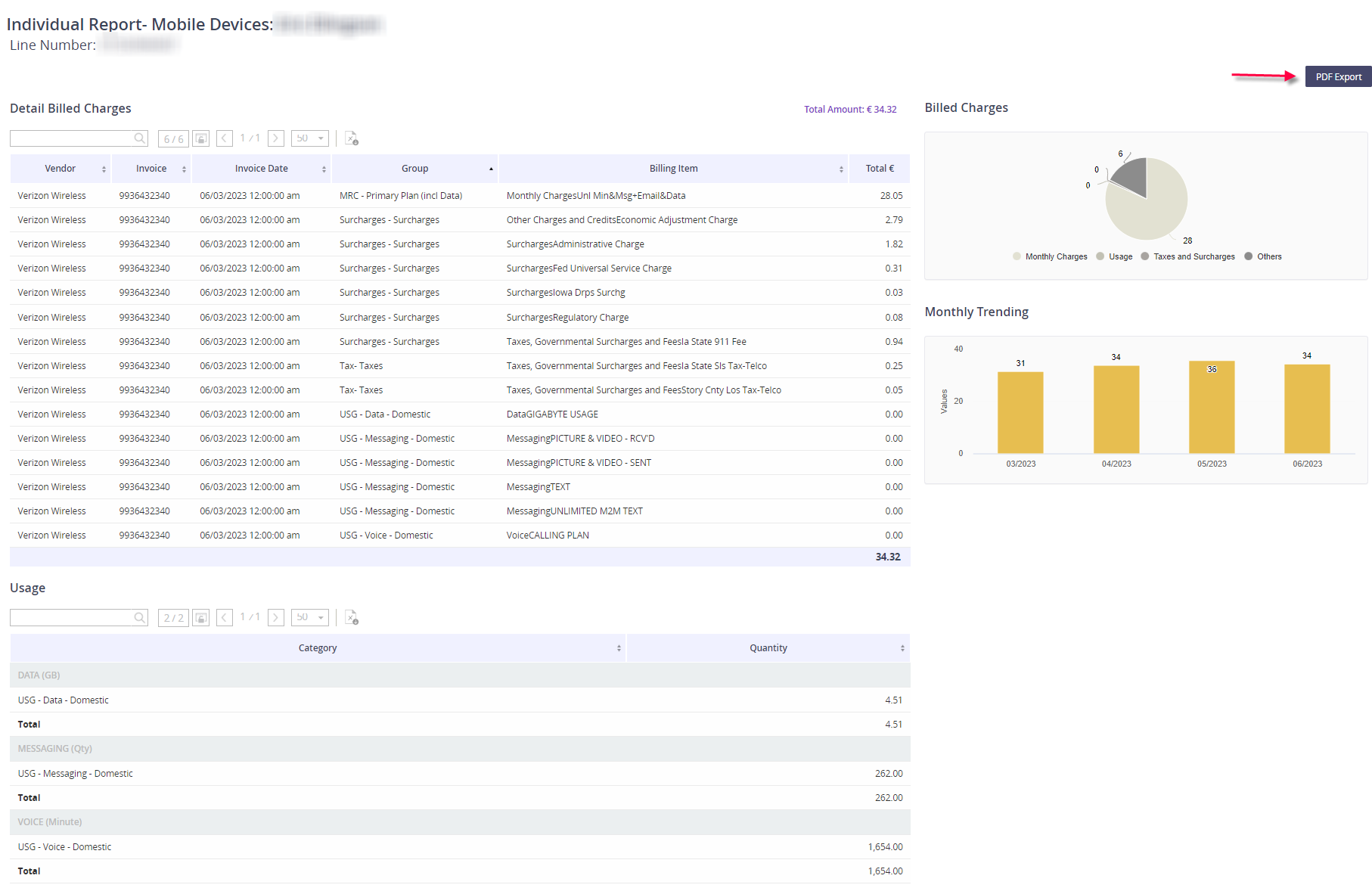
Or you can select a specific Line from the Detail Billed Charges section and view billing items and usage for that individual mobile number.
-
You can export the line specific detail by selecting PDF Export here.
-
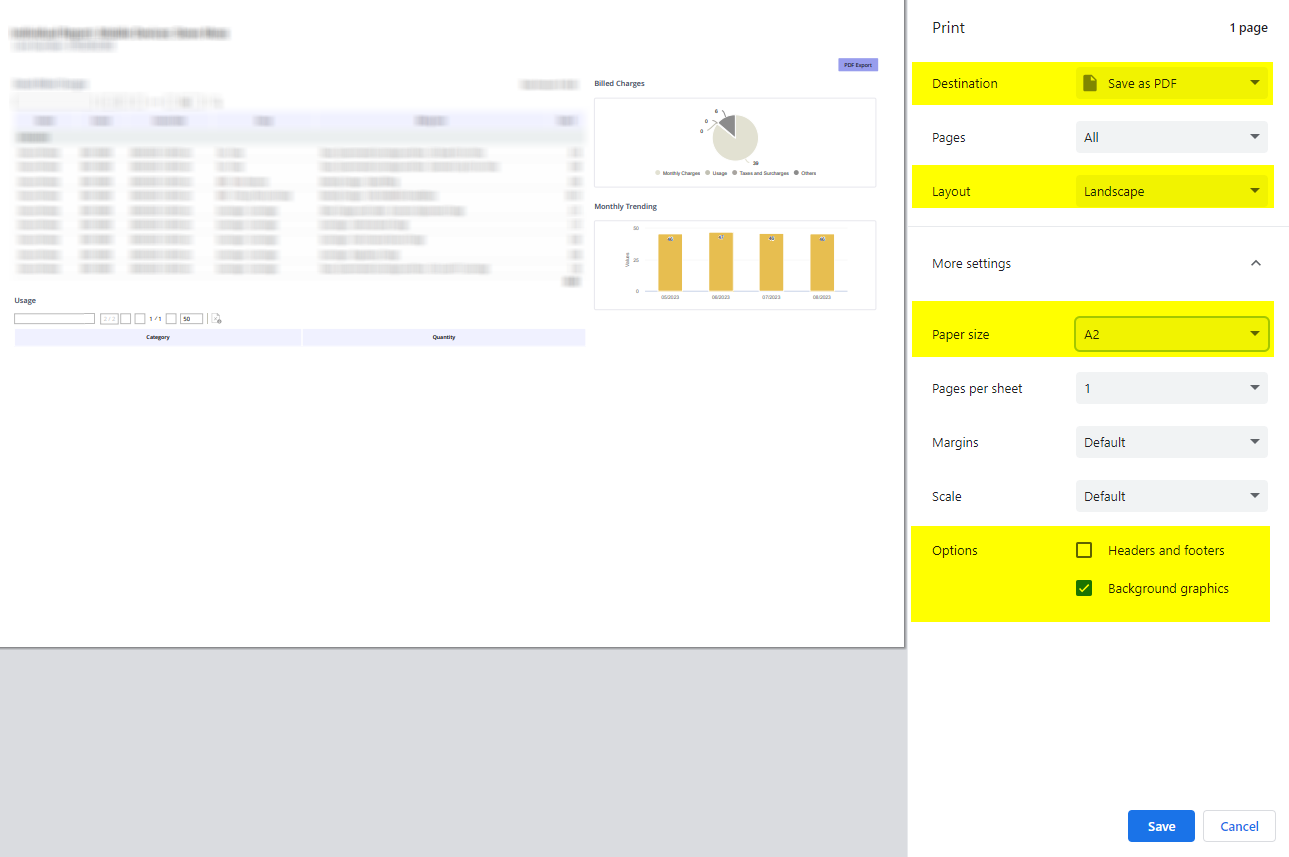
For the best saved results, please format the save options as shown below.
-
Destination: make sure the value is Save as PDF
-
Layout: you’ll want to change to Landscape
-
Under More Settings,
-
Update the Paper Size to A2
-
Make sure the checkbox for Headers and footers is unchecked
-
Keep the Background graphics option checked
-
-
-
Click Save.
Adobe will remember the last Save as PDF setting changes, so you may not have to adjust these settings each time you export.