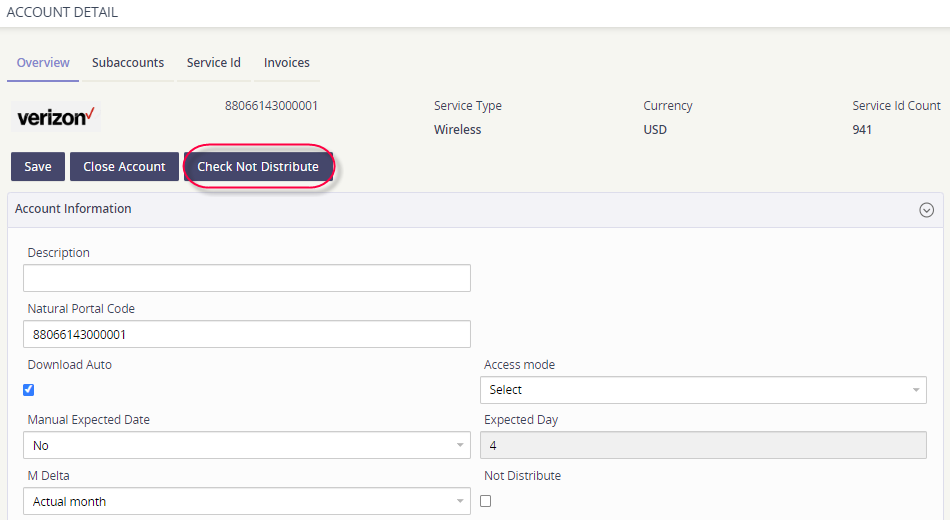
If you would like to process an account through the Asignet Platform, but do not want it included in the AP Export process, you can mark an account as Do Not Distribute.
-
Go to the Expense Management module.
-
Click on Operations.
-
Select Accounts Manager.
-
Click on the spyglass under the Edit column to view the account record details.
-
While in the Overview tab, click the action button Check Not Distribute.
-
Click Save.