
The Expected Invoices per Month validation compares the number of invoices received for an account each month against the expected number configured in Account Manager. By default, one invoice per account is expected unless a different value is specified in Account Manager.
Color Legend
|
Icon |
Color |
What it means |
|---|---|---|

|
Green check |
The expected number of invoices was received for the month. |

|
Orange icon |
The expected number of invoices was not received. However, the validation is not mandatory. |

|
Red triangle |
The expected number of invoices was not received. This is a mandatory validation and must be reviewed before the invoice can be processed further. |
Viewing Invoice Details
-
Click the validation icon to view the details.
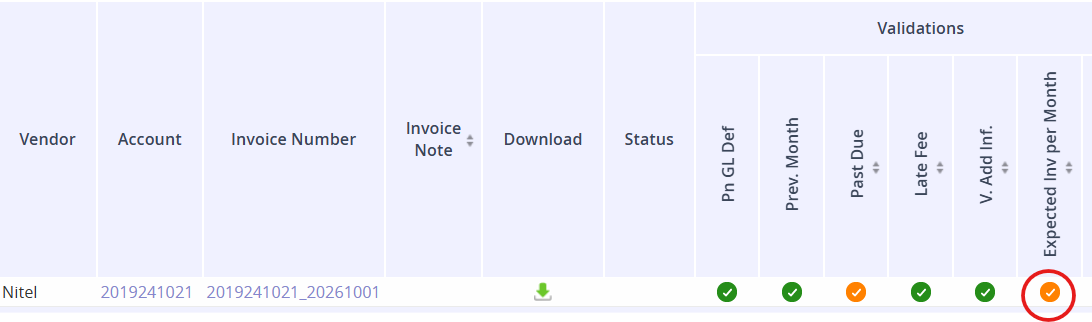
-
Click the hyperlink in the QTY of Invoices Received column to view the invoice details.
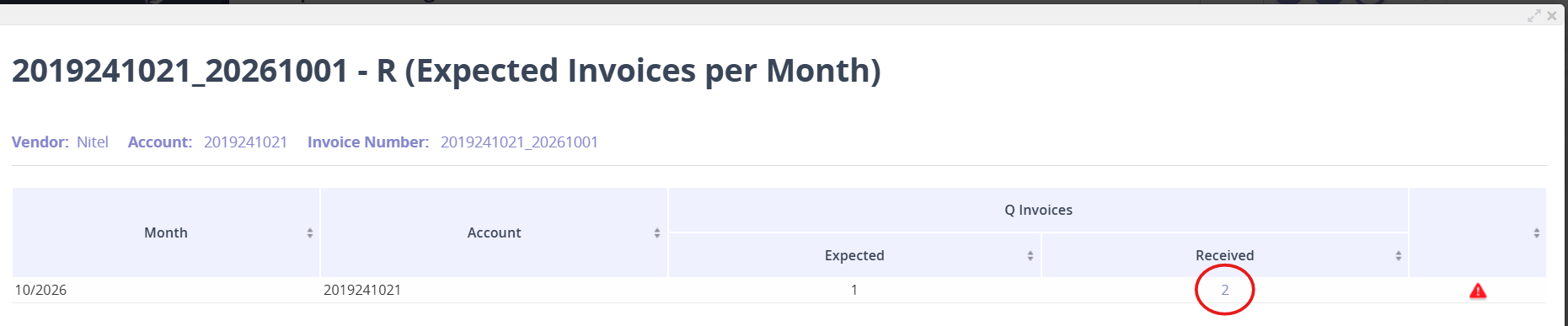

Identifying Duplicate Invoices
In some cases, the same invoice may be uploaded by the robot and also received as a paper copy, resulting in a duplicate entry in the system. This validation helps identify accounts with potential duplicate invoices. If duplicates are identified, the internal Asignet team will remove the duplicate invoice from the system.